
You published an ad on Wannonce a few weeks ago and would like to check if it is still online. The classic reflex is to retype your keywords in the site’s search bar, hoping to find it again. This method works poorly as the volume of ads increases in your category. The member area of Wannonce centralizes all your publications, messages, and settings in one place, without going through public search.
Wannonce Dashboard: What Lies Behind the Login
Competing guides extensively detail the steps to log in (username, password, “Login” button). What they explain less is the distinction between your public profile and your private space.
The public profile is what other users see when they view one of your ads: username, seniority, possibly a rating. The private space, on the other hand, gathers a dashboard with your active, deactivated, or draft ads. You will also find your internal messaging and alerts there.
This separation has a practical consequence: modifying the text of an ad or deleting it can only be done from the dashboard, never from the public version. If you want to see my ads on Wannonce after several days away, going through the member area remains the most direct route.
The dashboard generally displays a status for each publication: active, expired, or pending reactivation. An expired ad can be reactivated without having to re-enter everything, provided it is done within the timeframe set by the platform.
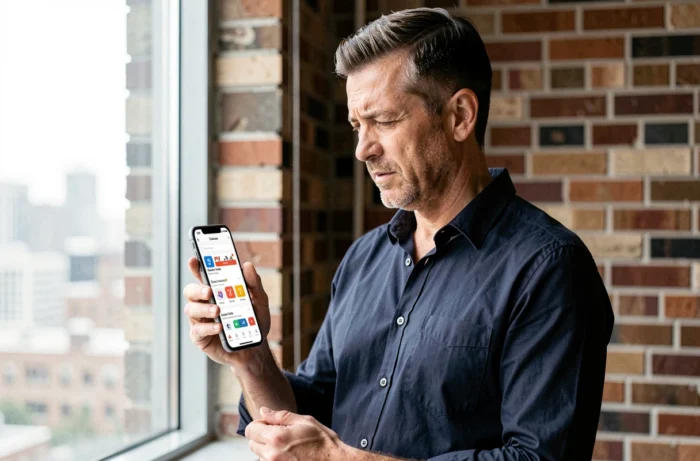
Internal Messaging and Account Verification on Wannonce
Have you noticed that a “contact the seller” button appears on each ad listing? This button triggers the sending of a private message, but only if the sender has an active account. Without prior login, the platform blocks the sending.
This lock relies on a basic email or SMS verification during registration. The goal is to limit anonymous contacts and scam attempts. In practice, this means that messaging and ad viewing are linked to the same member area.
Finding an Old Exchange
Received and sent messages remain accessible from a dedicated tab in the dashboard. Unlike a traditional email exchange, these conversations are attached to the relevant ad. If the ad is deleted, the discussion thread may become inaccessible.
Before deleting a publication, remember to copy any useful information exchanged with a buyer or seller. Deleting an ad can result in the loss of related messages.
Connection Issues with the Wannonce Member Area: Concrete Causes
Most connection difficulties do not stem from a site bug. They fall into three specific categories:
- A username or password entered with a case error. Wannonce credentials are case-sensitive, and the browser’s autofill sometimes inserts an outdated version.
- An account created with an email address you no longer have access to. The recovery procedure sends a reset link to that address, which blocks the loop.
- A session left open on another device. Some classifieds sites limit simultaneous logins, which causes automatic disconnection on the new device.
If none of these suggestions resolve the issue, the only reliable option is to contact customer service via email. The content available on Wannonce does not document a dedicated support phone number.

Mobile Browser and Account Access
Wannonce does not offer a dedicated mobile app. Access is through the phone’s browser. The mobile login form is identical to the desktop version, but the reduced display sometimes complicates entering the username.
A simple tip: save the login address as a favorite on your home screen. On both Android and iOS, this action creates a shortcut that directly opens the login page, without going through the site’s homepage.
Securing Your Member Area on a Free Classifieds Site
On a classifieds site open to all users, the main risk remains account impersonation. Someone who accesses your space can modify your ads, respond to your messages, or post content in your name.
Two precautions reduce this risk:
- Use a unique password, different from that of your email account. If your email address is compromised, your Wannonce account does not fall with it.
- Manually log out after each session on a shared computer. The logout button is usually located at the top right of the dashboard.
- Regularly check the list of your active ads. An ad that you did not publish indicates an intrusion.
These actions may seem basic. However, on free platforms without two-factor authentication, they constitute the only real barrier against unauthorized access.
Managing your member area on Wannonce relies on simple mechanisms, but mastering them avoids most of the blockages reported by users. An up-to-date password, a favorite link to the login page, and periodic checks of your publications are enough to maintain control over your online ads.