
The end of the school year is approaching and the Unique School Book is awaiting its final entries. For teachers in the Versailles academy, logging into Arena and filling out the LSU has become a race against time, especially when annual reports need to be finalized within a tight deadline. Some habits established in advance can radically change the course of this period.
Prepare your Arena access before the LSU peak period
Account lockout during the entry of periodic assessments is the most common and time-consuming scenario. Multiple failed login attempts extend the unlocking time instead of shortening it.
The most reliable solution is to use a personal password manager like Bitwarden or KeePass. These tools store your academic credentials in an encrypted manner. You are no longer dependent on your memory or a sticky note stuck under the keyboard.
In case of a forgotten password, go directly through the reset procedure on the portal id.ac-versailles.fr. This process is quicker than contacting support, especially during peak times when response times are longer. Testing your Arena connection at least a week before the entry deadline allows you to identify a problem while it is still easy to resolve.
Many teachers also discover that it is possible to manage LSU on Arena AC Versailles much more smoothly by adopting these preparation habits starting from the second term, without waiting for June.

Check the import of grades into the LSU Versailles academy
You use Pronote or another grading software daily. The LSU, on the other hand, retrieves this data through import. The trap is to assume that this import works automatically without verification.
Specifically, after each data transfer from your grading software to the LSU, open the record of a random student. Compare the displayed averages and comments with what you see in Pronote. A discrepancy, even minor, indicates a synchronization issue that needs to be addressed before locking the reports.
When to perform this export test
The best practice is to carry out this check in advance, not on the day of the final entry. If you wait until the last moment, an import error forces you to restart the process when the servers are overloaded and the deadline is near.
Testing the export a week before the closure avoids the majority of incidents. This simple shift in the schedule transforms a potential emergency into a routine check.
Role of the digital referent to resolve LSU situations
Each institution in the Versailles academy has a digital referent. This colleague has direct access to academic support and can report a malfunction much faster than an isolated teacher going through the generic form.
Have you noticed a display bug in the LSU, a periodic report that won’t lock, or competencies that disappear after an import? The reflex to adopt:
- Note the exact problem encountered (student’s name, class, type of error, time of attempt) so that the referent can transmit a usable report
- Contact the digital referent via academic messaging rather than orally, to keep a written record in case of prolonged follow-up
- Do not restart the same import multiple times hoping to fix the problem, as this can create duplicates in the student’s record
The digital referent is the fastest link to academic support. Engaging them early, with precise information, significantly shortens the resolution time.
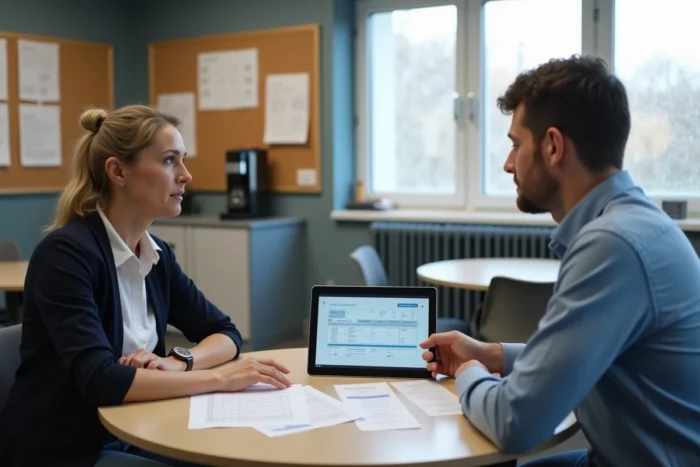
Organization of the LSU entry calendar at the end of the year
The temptation is great to enter everything in a single marathon session. This approach multiplies the risks of error and fatigue, especially when the platform slows down during peak hours.
Distribute the workload over several days
Instead of blocking an entire day, break down the entry by level or by class. The first classes entered serve as a real test to identify any technical issues. The following ones then progress more quickly.
A often overlooked point: Arena servers are less busy early in the morning and late in the evening. Connecting during these time slots reduces loading times and unexpected disconnections, a concrete advantage when you have several dozen records to complete.
Anticipate general comments
Annual comments require writing. Preparing them in a separate text document and then copying and pasting them into the LSU avoids writing under pressure in the interface. You have better control over the wording and save time on the platform itself.
- Write your comments in batches of ten students, varying the wording to avoid falling into generic copy-pasting
- Regularly save your progress in the LSU (approximately every five entries) to avoid losing work in case of disconnection
- Keep a local copy of your comments in case of server issues requiring re-entry
Frequent saving remains the best protection against data loss. A simple click of intermediate saving can save you an hour of lost work.
Managing the LSU on Arena in the Versailles academy does not present any major technical difficulties in itself. What makes the difference between a calm end of the year and a stressful race is when you start preparing your access, testing your exports, and planning your entry slots. Three simple habits, adopted two weeks before the deadline, are enough to avoid the vast majority of reported blockages each year.